Plotting TFcat Objects
Built-in plotting
The TFCat library includes a simple plotting interface at feature level.
Example 1: Plotting a Multipoint feature
from tfcat import TFCat
tf_url = 'https://maser.obspm.fr/doi/10.25935/r11g-6j63/content/cassini_faraday_patches_2006.json'
cat = TFCat.from_url(tf_url)
cat.plot_feature(0)

Example 2: Plotting a Polygon feature
from tfcat import TFCat
tf_url = 'https://maser.obspm.fr/doi/10.25935/hfjx-xx26/content/fogg_akr_burst_list_2000.json'
cat = TFCat.from_url(tf_url)
cat.plot_feature(100)

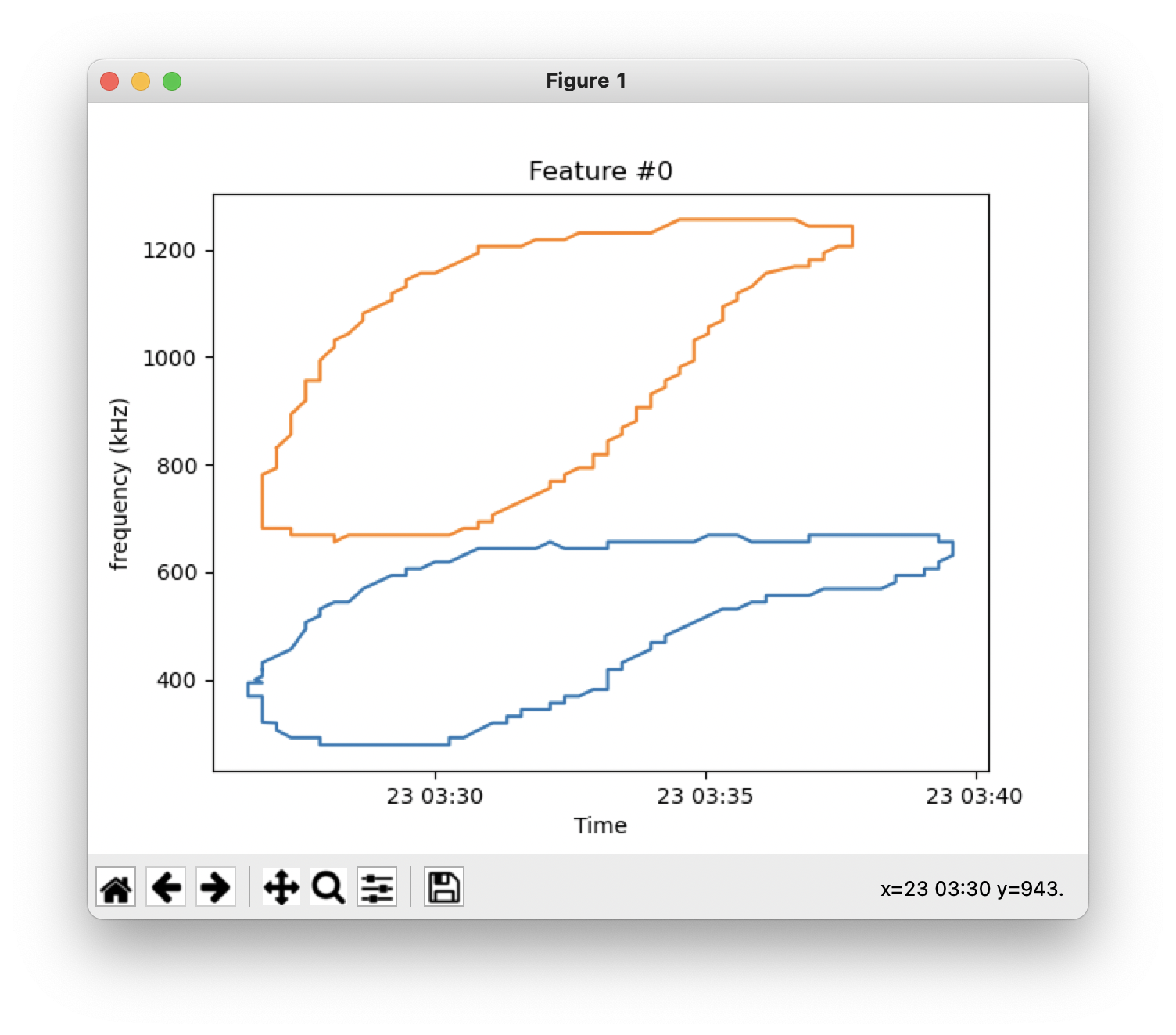
Example 3: Plotting a MultiPolygon feature
from tfcat import TFCat
tf_url = 'https://maser.obspm.fr/doi/10.25935/t033-qs72/content/data/wu_2022_catalogue.json'
cat = TFCat.from_url(tf_url)
cat.plot_feature(0)
Advanced plotting
After transforming feature geometries into shapely objects (see processing section), all examples presented in the shapely user guide can be applied.